
HDMI Full Form and other details
HDMI stands for High Definition Multimedia Interface which transmits signals in an uncompressed format.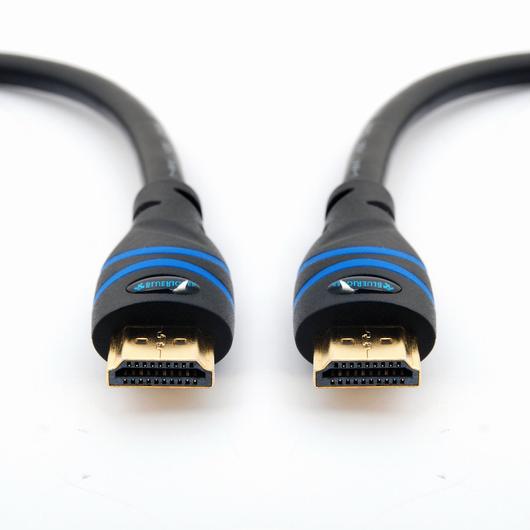 It comes as a digital audio-video interface along with a cable and connector. In late 2003, the production of HDMI began, and it released as the replacement for analogue audio-video standards as a digital one along with several versions. HDMI cable has two types:
- Standard Cable( Category 1 cable)- It is convenient to transmit an uncompressed 1080i signal, and it’s working pixel speeds is 75 Mhz along with the bandwidth of 2.23 Gbps.
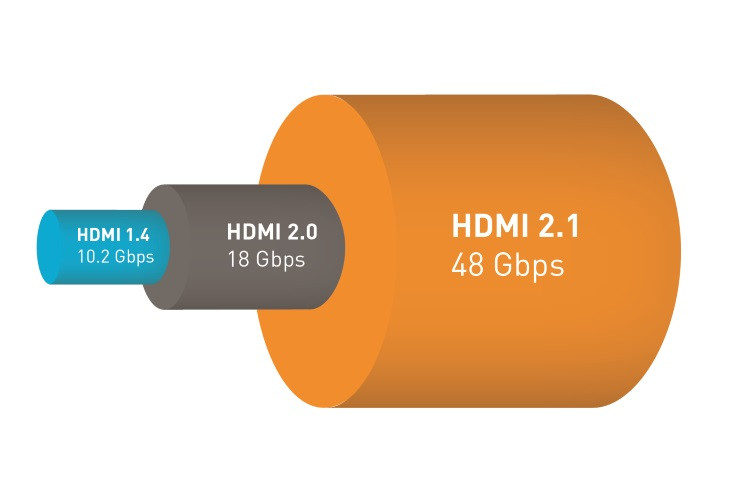
- High-Speed Cable(Category 2 cable)- It is convenient for the latest graphics display resolutions of WQXGA and 1440p having a working pixel speed of 340 Mhz along with the bandwidth of 10.2 Gbps.
-
HDMI 2.1: The HDMI 2.1 is the latest advancements in the HDMI technology. It can garner upto 48Gbps speeds.
Communication Channels
HDMI has mainly three communication channels:- Display Data Channel(DDC)
- Transition-Minimised Differential Signaling(TMDS)
- Consumer Electronics Control(CEC)
Connector Types in HDMI
High Definition Multimedia Interface has five types of connectors:- HDMI 1.0 – type A/B are defined
- HDMI 1.3 – type C is defined
- In HDMI 1.4 – type D is defined
Benefits of HDMI
- Cost-Effective – It provides quality along with easy functionality in a cost-effective manner.
- Backward Compatibility – It is highly compatible with the earlier interfaces such as DVI. It requires only one cable to connect DVI with HDMI.
- Reduces Complexity – Its significant benefit is to reduce the confusion of cables behind the device by a single cable only. As HDMI has combined both audio and video within one cable and give relief from the jungle of cables.
- High Quality – Uncompressed digital audio-video gets transferred to the highest quality. For pictures and sound quality, there is no match of HDMI as it renders deep colors of 30 bit,36 bit and 48 bit. It supplies a superb sound quality without any interference of noise.
Read More: What is the GPRS full form?
These various well-fitted benefits of HDMI makes it highly recommendable in today’s world of technology.










 , and then select





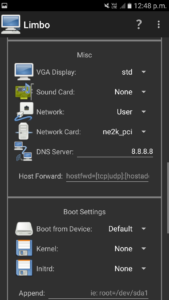
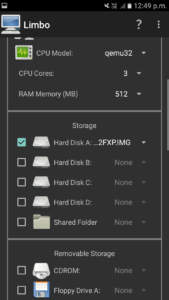 Drag down and go to User Interface settings on Limbo App;
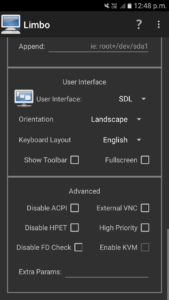 6. Now you are ready to go. Leave all other settings as itself. Run the program by clicking play button. Wait 10-15min to complete the loading of Windows XP.
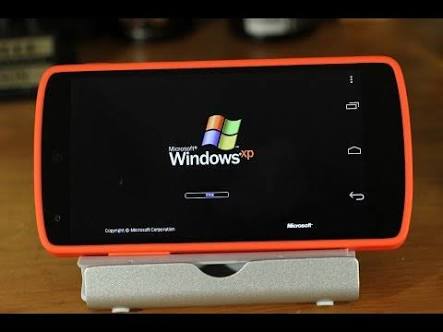 Although, depending on the capability of device you may run the latest Windows 10 with much ease. But, cannot install or execute any Windows software (.exe file) as in a PC or laptop.